WATCH
TOGETHER.
IN SECONDS.
Create a room, share a code, and start watching with friends.
Clean UI, fast join, and a bold red theme.
Our Partners




Why Choose MovieForParty?
Engineered for the ultimate viewing experience.
Zero Latency
Instant synchronization guarantees you never miss a beat or a laugh with your friends.
4K HDR Support
Crystal clear visual quality. Support for high dynamic range content for premium members.
Unlimited Rooms
Create as many public or private rooms as you want. Full control over moderation.
100k+
Active Users
5M+
Hours Watched
50+
Platforms Supported
4.9/5
User Rating
Watch Together Online FAQ
Quick answers about hosting and joining movie parties.
How does MovieForParty enable watch-together online?
Create a room, share the invite link, and MovieForParty synchronizes playback across all viewers so everyone sees the same moment at the same time.
Can I host an online movie party with my friends?
Yes. Start a room, invite your friends, and watch movies or videos together with synchronized playback and built-in chat.
Does MovieForParty support Netflix, YouTube, and other video sources?
MovieForParty is designed to sync popular video sources like Netflix and YouTube, plus more compatible platforms.
Is there lag or delay between viewers?
The experience is built for near real-time synchronization to keep everyone aligned with low-latency playback.
What do I need to join a movie party?
You just need the room invite link. Open it, choose your display name, and join to start watching together.
Is MovieForParty free to use?
Yes, MovieForParty offers a free Starter plan with 1080p streaming and public rooms. Premium plans with 4K HDR and advanced features start at $9.99/month.
How many people can join a movie party room?
MovieForParty supports multiple viewers in a single room. Free users can create public rooms and premium users can host private rooms with advanced moderation controls.
Does MovieForParty work on mobile devices?
MovieForParty currently offers desktop apps for Windows and macOS. The web experience is also accessible from mobile browsers for joining rooms.
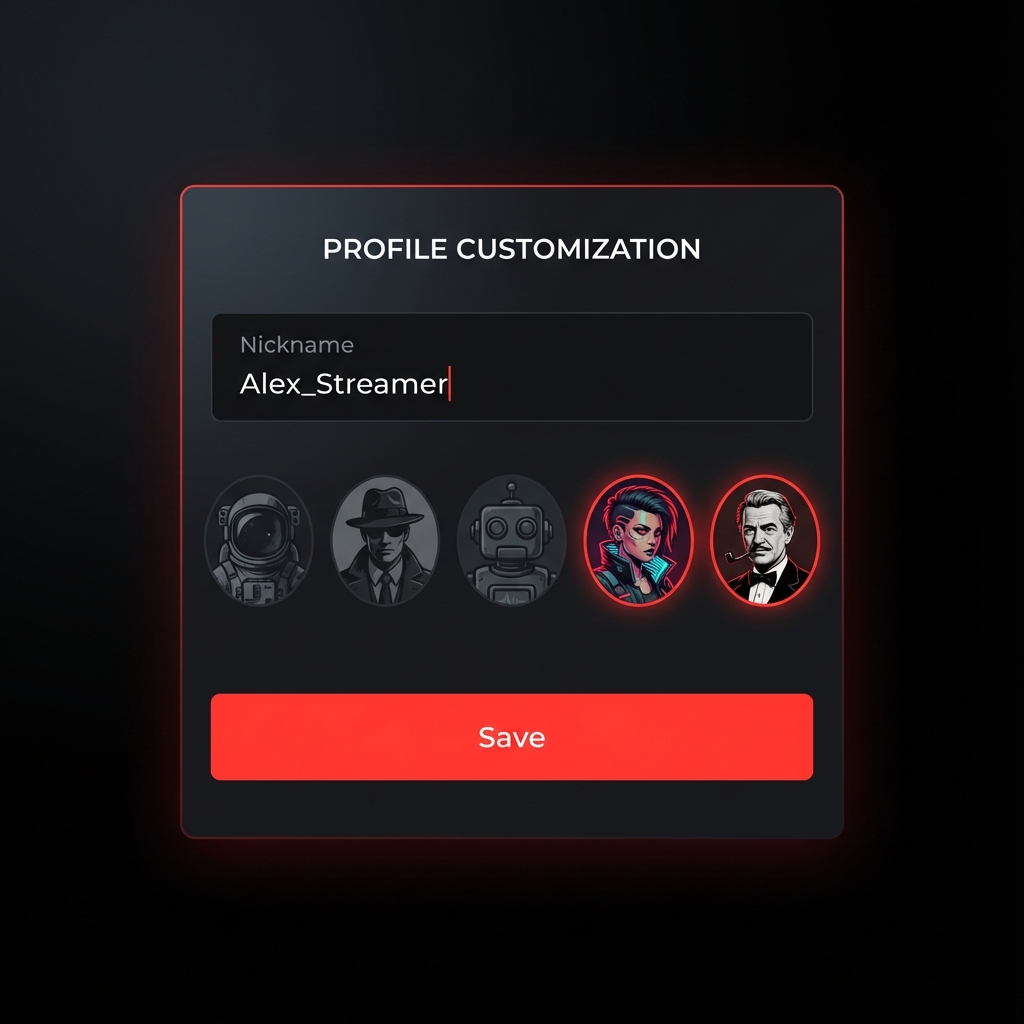
Express Yourself
Your profile is your identity. Customize your avatar, track your watch time, and show off your badges. With MovieForParty Premium, you unlock exclusive borders and animated profile effects.
- Custom Avatars & Banners
- Detailed Watch Statistics
- Achievement Badges




















Transparent Pricing
Choose the plan that fits your lifestyle.
Starter
For casual viewers
- 1080p Streaming
- Standard Sync
- Public Rooms
Pro
For the binge watchers
- 1440p HD Streaming
- Priority Servers
- Private Rooms
- Ad-free Experience
Ultimate
The cinema experience
- 4K HDR Streaming
- Unlimited Everything
- Early Access Features
- Profile Customization
Ready to Join the Party?
Download the official MovieForParty desktop app for the full experience: reliable sync, party chat, and the best video quality.
Hosting or joining a room works best in the app — grab it below in one click.
Version 2.4.0 • Requires Windows 10/11